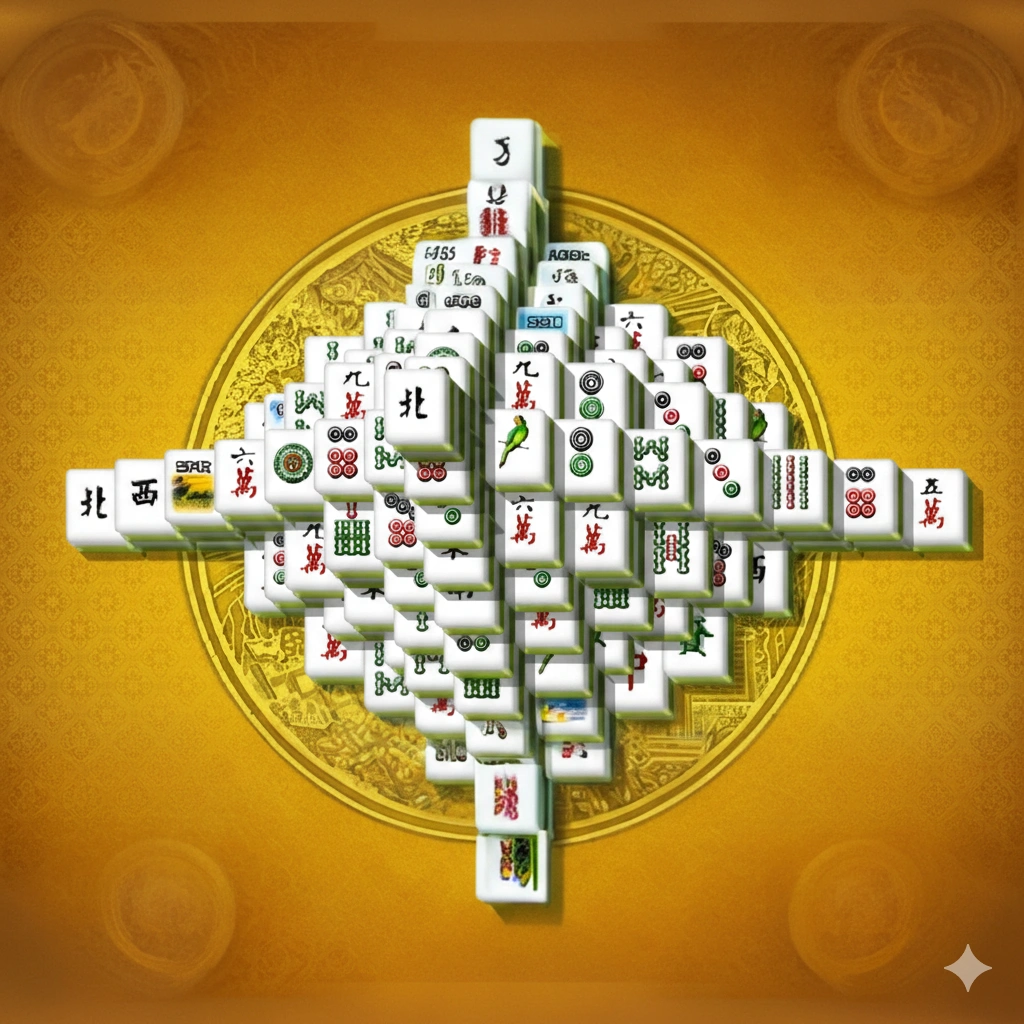
Mahjong Tower
Mahjong Tower, the version embedded on this page through CrazyGames, does not say who built it. Its own listing at crazygames.com credits no developer, lists an August 2020 release date, and names its engine as Ruffle, the software that runs old Flash files inside a modern browser: a Flash-era board kept running through emulation rather than rebuilt from scratch. On our test the game loaded straight into its own menu with no ad in front of it, though a second attempt on a phone-sized screen was not so lucky.
Who actually built this: three listings, three different names
The CrazyGames page hosting the embed does not name a developer anywhere on it. The Google Play listing linked from this page, Mahjong Tower, names its developer as an account called KL, which also publishes titles like Classic Backgammon Touch and Classic Bingo Touch. The App Store listing, Mahjong Tower Touch, credits a different developer entirely, Kevin White. None of the three names match, and nothing ties them together beyond the shared title.
New Game always opens on Perfect Tower, a 176-tile board
Clicking New Game on a desktop-sized load and again later on a phone-sized one put us on the same starting layout both times, named Perfect Tower in the game's own top bar. It dealt 176 tiles stacked into a stepped pyramid, with a Matches counter (it read 9 at the start) sitting next to Score and Time. The rule is standard mahjong solitaire: a tile clears only once its left or right edge is free and nothing sits on top of it. Our first successful match, a pair of tiles each marked with the red character 中, added exactly 5 points and dropped the tile count from 176 to 174.
The layout picker holds close to eighty named boards, each with its own author credit
The Select Layout screen, opened from a grid icon in the toolbar, pages through named boards and told us we were on page 10 of 10 the first time we opened it: Twins Bridge, Yuan, Dollars, Euro Dollars, Stronghold, Taichi, X-Circle and Triumphal Arch, eight tiles around a center panel that fills in with details on whichever one you're pointing at. Page 9 showed a different eight: Pyramid, Clock, Bird, Maze, Lozenge, Columniation, City Square and Wall. Selecting Euro Dollars filled the panel with "Author: Emily, Levels: 12, Tiles: 120"; selecting Maze read "Author: Auway, Levels: 12, Tiles: 224". Eight boards a page across ten pages puts the total near eighty layouts, each credited to a named author.
Every hint takes fifty points, every reshuffle takes a hundred
The toolbar has a hint button and a shuffle button, each with a use counter, starting at Hint(5) and Shuffle(3). Using one hint dropped the label to Hint(4) and took the score from 5 to negative 45, a flat 50-point charge. Using one reshuffle right after dropped the label to Shuffle(2) and took the score to negative 145, a flat 100-point charge. Neither cost is shown before you press the button. We found no undo control anywhere in the toolbar; the only way back from a bad hint or a bad shuffle is to spend another one, or start the board over.
A bonus number that climbs and drains without ever explaining itself
Next to Score and Time sits a third number labeled Bonus. Twelve seconds into a fresh game it read 32; left alone with no move made, it had drained to 0 by the 44-second mark. Making a match brought it back up to 62 a few seconds later. Nothing in the toolbar explains what feeds it or how fast it counts down, so it reads as a hurry-up meter with the formula kept off-screen.
The phone-sized load added a video ad the desktop session never had
At a full-size window, pressing Play Here took us straight from the loading card to the game's own main menu with nothing in between. Resizing to 375 by 812 pixels and reloading, the same Play Here button instead opened a branded CrazyGames video ad with a "Continue playing after the ad" countdown bar; the menu did not appear until roughly ten seconds later. Past it, the game kept working in portrait and never asked us to rotate the screen, but the board and its toolbar row now had to fit inside a frame under 340 pixels wide, shrinking the toolbar icons enough that lining up a tap took more care than on the full-size screen.
Other boards worth trying if the point penalties put you off
- Mahjong Titans for a single fixed spiral board with no reshuffle and no point penalty on its hints.
- Mahjong Alchemy for a game that charges reshuffles in seconds off a clock instead of points, and skips a hint button entirely.
- Mahjong Connect for matching tiles by drawing a connecting path instead of clearing them off a stack.
- Mahjong Shanghai for a first board built from a single tile suit instead of a mixed set.
Answers to three things worth knowing first
Is there an undo button in Mahjong Tower?
No. The toolbar has Home, hint, shuffle, two layout-browsing arrows, a layout grid button and a pause button, and none of them reverses a move.
How many hints and reshuffles do you get per game?
Five hints and three reshuffles, shown as Hint(5) and Shuffle(3) before either gets used.
Does the game force landscape mode on a phone?
No. At 375 pixels wide the board stayed in portrait through the loading ad and a full game, though the toolbar icons shrink enough to make aiming a tap harder than on a full-size screen.